Making my dream weather dashboard, irl
I love the idea of e-ink devices: low power, low eye-strain, no doom scrolling.
I’ve been noticing a flood of consumer e-ink devices lately; e-ink feels like it’s finally escaping its “Kindle-only” niche. Today, I build a dashboard for my new TRMNL X.
Exciting e-ink devices
Kindles, despite their vendor-locked nature, are what got me back into books. Having a digital medium that doesn’t require blinding LEDs to function, that looks great in the light, is such a dream idea for me. I can be connected and have conveniences, without feeling like I’m plugged into the matrix.
Since I fell in love with e-ink displays for reading, I’ve kept my eye on the consumer market. But for years, it’s been more of the same old: devices designed to make you buy more things. Kind of antithetical to the reasons I like the idea of e-ink devices.
But recently there have been a few devices to hit the market that have me excited: the Boox Palma 2 Pro is a fully featured $400, color e-ink cellphone; the ET X4 is a super cheap, palm-size book e-reader; and the TRMNL X is a large format ambient e-ink dashboard.
I purchased the original TRMNL a few years back and I’ve had it sitting on my office desk displaying weather, calendar details, stock prices, and smart home data. I only have to charge it about once every six weeks, and it just keeps chugging along. I love it.
But recently I realized that I’d stopped looking at it - it wasn’t helping me where I needed it. I had put it on my desk, next to my computer, where all of that information was already available. After the novelty wore off, I stopped checking in on it.
Replacing what I have today
I recently picked up the newer, much larger TRMNL X. I had one goal in mind when purchasing it: replace the bright, gaudy, functionally limited weather station monitor we’ve been using for the past few years.
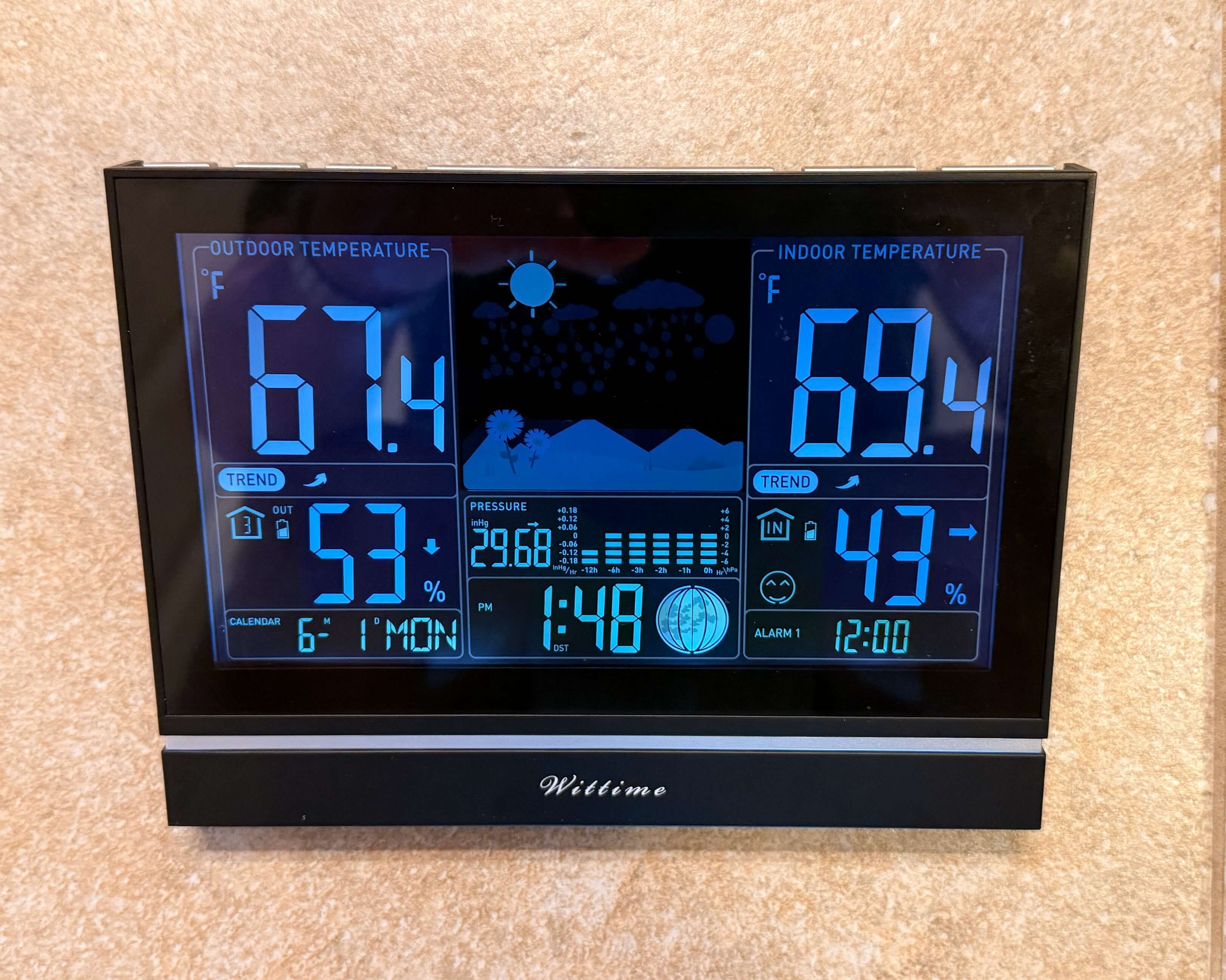
The weather station sits right next to the sliding door to our backyard porch, a threshold we walk through a dozen times a day during the summer. It’s full of bright and colorful LEDs, and has terrible viewing angles. It functions well enough to answer some basic “right now” questions:
- Is it warm enough to eat dinner outside?
- Should I close the windows because it’s hot and muggy outside?
- Is the temperature rising or falling?
But it doesn’t show forecast data. It doesn’t tell us if it’s going to rain later. It doesn’t predict the highs and lows. It doesn’t help me plan my day.
At a glance, I want to know:
- What’s the weather right now? Temperature? Humidity? Wind?
- How hot is it going to get? How cold?
- Is it going to rain today? When?
- Is it going to be too windy for disc golf later?
- Should I stop at the park with the kids on the way home from school?
- Will it be cloudy? What’s the UV index?
- Is there high pollen? Bad air quality due to forest fires?
- What’s the temperature and humidity inside?
These are all things I could pull up on my phone or ask Alexa but that’s more friction than feels necessary.
This is all information that could simply be visible, all the time.
So let’s do it.
Building my dream weather dashboard
The TRMNL ecosystem has a rich community marketplace for plugins, allowing you to connect third-party APIs and render data using a simple component library. But, as with most things, it’s hard to get the display exactly how I want it, so I decided to roll my own.
To get my custom dashboard onto the device, I used the built-in “Display Image” plugin. You provide a URL and a refresh cadence, and the device periodically downloads and displays whatever image is returned.
I just needed a way to generate a 4-bit grayscale dashboard image and make it accessible over HTTP. To do this, I built trmnldash. The project runs in a Docker container as a cron job. It pulls data from several sources:
- Weather from
api.weather.gov - Sensor data from my Home Assistant server
- Calendar data from Google
It then renders static HTML pages and captures screenshots using Playwright. I run the project as a cron job on Proxmox, and every five minutes it generates a fresh dashboard image for the TRMNL to download.
Here’s the result:
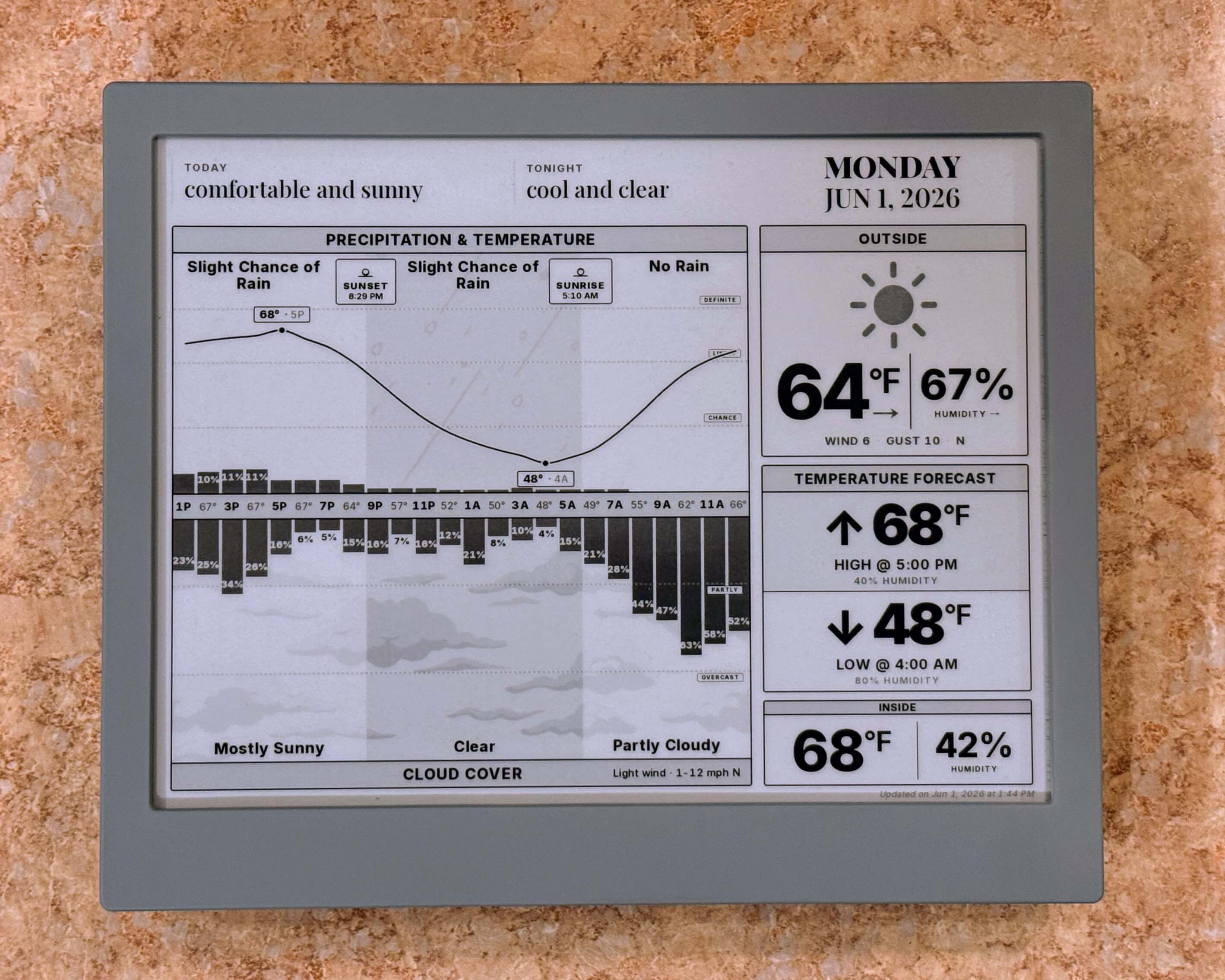
The dashboard combines hourly forecasts, precipitation, cloud cover, wind, indoor sensor data, and forecast highs/lows into a single view.
A few details I’m particularly happy with:
- The temperature graph highlights the forecast high and low temperatures.
- Sunrise and sunset are marked on the timeline, with nighttime hours darkened.
- Expected rainfall accumulation appears when precipitation is forecast.
- Subtle background imagery helps distinguish cloud and precipitation graphs without adding too much visual clutter.
Breathing new life into my old TRMNL
As I mentioned above, my smaller, original TRMNL device had been sitting on my desk getting ignored.
With my new trmnldash project in hand, it got me thinking: where could I move my smaller TRMNL where it would be more useful? Where do I pull out my phone to look up the same thing every day? Where do I ask Alexa the same questions over and over again?
My bathroom.
That’s where. When we’re getting ready for the day, Lisa and I are constantly fighting with Alexa, or looking for our phones to figure out:
- Should I wear pants today? A sweatshirt?
- Do we need to rush because Fisher has a 9 AM meeting?
- Who’s bringing the kids to daycare today?
- Do we have any appointments during the day? Social plans at night?
- What time is that dinner reservation tonight?
It’s silly, simple, everyday information. But I couldn’t tell you the number of times I’ve asked “Alexa, what’s the weather today?” only for me to get distracted with kids by the time it finally tells me the temperature. If I can avoid that at least once a day, then it’s worth giving it a shot.
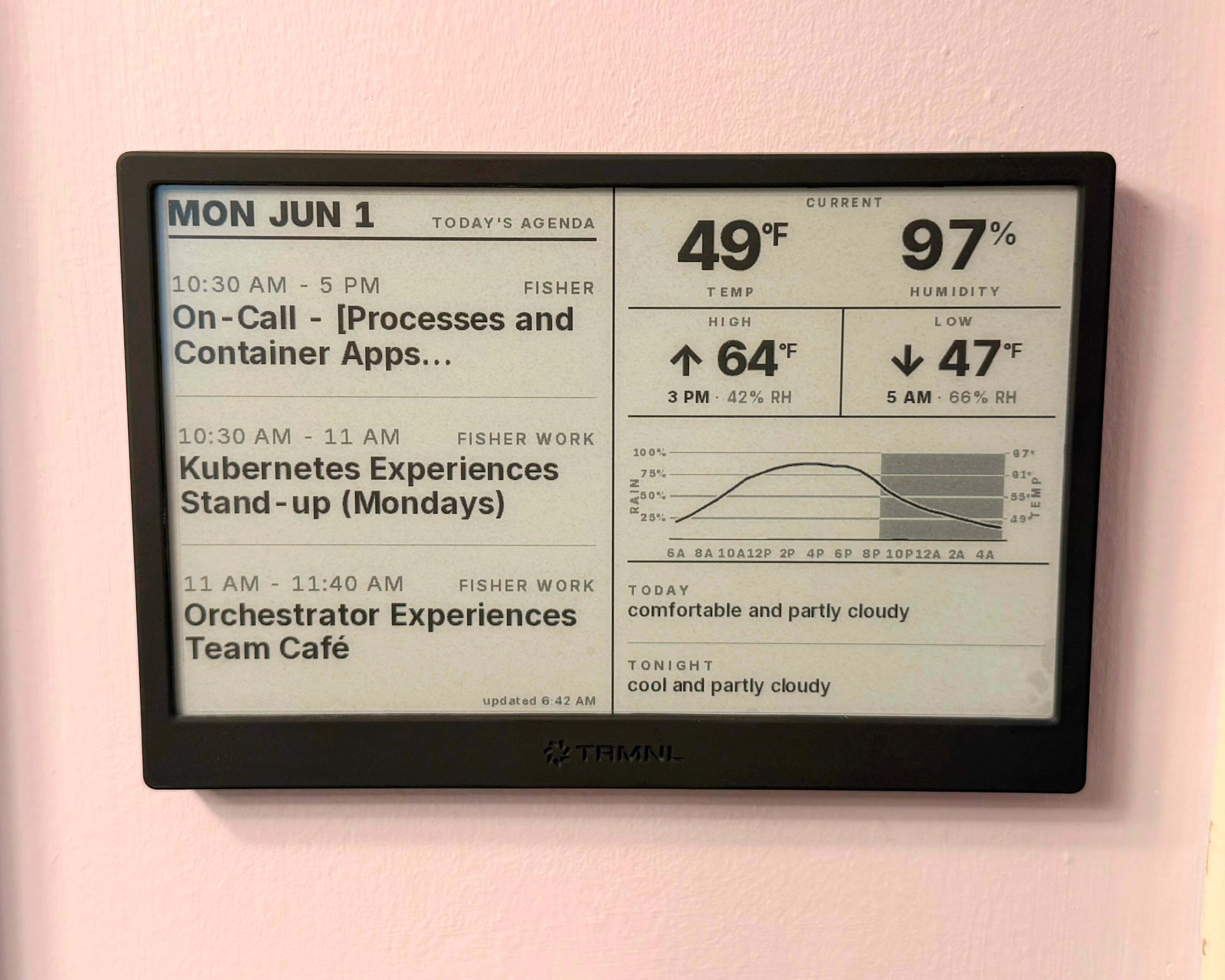
So, I built another dashboard:
- The left side is a daily agenda showing events from our collection of personal and shared calendars
- The right side is a simplified weather forecast with just enough detail to help me choose appropriate attire for the day
Worth it?
Both have already proven surprisingly useful.
I spend way too much time hacking little things like this together. But few remain useful past their novelty period. In this rare instance, I’m certain both of these will be long-term “man, I’m glad I did that” items. Better yet, Lisa has already expressed how “super helpful” it’s been for her. So yeah, worth it.
What’s next?
I’m excited about the future of consumer e-ink devices. I hope this is just the start. I have this romantic idea of replacing my daily-driver phone with an e-ink device:
- No doom scrolling or videos
- Easy access to texting, email, calendars, and other boring-but-important apps
- Distraction-free reading of books and news
- Phone calls and music playback still work fine
- Dramatically better battery life
But until the cameras improve, my iPhone isn’t going anywhere.
As for TRMNL, I may not be done yet. The TRMNL project originally started as a way to repurpose old Amazon Kindles. Flash an ESP32 with their firmware and you can build a functionally equivalent dashboard device yourself.
So a third display might be in my future. Here are some ideas I’m considering:
- Top news headlines next to my coffee station
- Smart home status on a bedside table:
- Are there any open windows or doors downstairs?
- Are the garage doors open?
- Any lights still left on around the house?
- Is it trash night, and is the trash can still in the garage?
- A display by the garage door showing:
- School lunch menus
- Kid-friendly weather forecast
- Family schedule
There are so many ideas… Maybe next time.